🏠 HOME 👤 LOGIN / REGISTER
QUICK MENU
🛍️ Shop 💳 My Account 📞 Contact Support
[ X ] CLOSE
Account Orders Wishlist Cart Track Order Returns Shipping Certificate of Authenticity Contact Us Donations

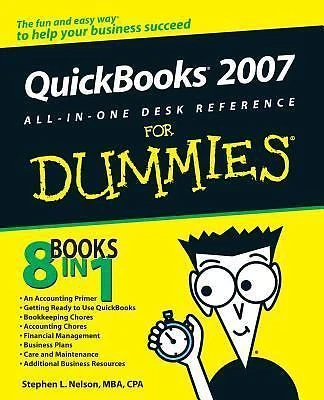
QuickBooks 2007 All-In-One Desk Reference For Dummies

$0.00
Secure checkout • Fast order processing
🔥 Popularity score: 57
🔒

Vault Membership Required

This item is reserved for Vault Members. Join for a one-time $39.99 lifetime membership to unlock this and hundreds of other free titles.

DESCRIPTION 8 books in 1- your key to QuickBooks 2007 success! Your one-stop guide to managing your small business finances more efficiently QuickBooks is the leading accounting program for small businesses, and this book gives you a handy reference to all its parts. Set up QuickBooks for your business, load your files, create invoices, pay vendors, understand job costing and capital budgeting, and even get tips on writing your business plan. It all adds up to success! Discover how to Install and set up QuickBooks Track your inventory and items Prepare financial statements and reports Set up project and job…

Category:
Tags:

Description

DESCRIPTION

8 books in 1- your key to QuickBooks 2007 success!

Your one-stop guide to managing your small business finances more efficiently

QuickBooks is the leading accounting program for small businesses, and this book gives you a handy reference to all its parts. Set up QuickBooks for your business, load your files, create invoices, pay vendors, understand job costing and capital budgeting, and even get tips on writing your business plan. It all adds up to success!

Discover how to

  • Install and set up QuickBooks
  • Track your inventory and items
  • Prepare financial statements and reports
  • Set up project and job costing systems
  • Protect your data
  • Save on business taxes

Reviews

There are no reviews yet.

Only logged in customers who have purchased this product may leave a review.

Related products

INSTALL THE APP
Add The Urban Strip Mall to your home screen
📱 iPHONE / iPAD (Safari)
1. Tap the Share button at the bottom
2. Scroll down and tap "Add to Home Screen"
3. Tap "Add" — done!
🤖 ANDROID (Chrome)
1. Tap the 3-dot menu top right
2. Tap "Add to Home Screen"
3. Tap "Add" — done!
💻 DESKTOP (Chrome / Edge)
1. Look for the Install icon in the address bar
2. Click it and select "Install"
3. The app opens as its own window!