🏠 HOME 👤 LOGIN / REGISTER
QUICK MENU
🛍️ Shop 💳 My Account 📞 Contact Support
[ X ] CLOSE
Account Orders Wishlist Cart Track Order Returns Shipping Certificate of Authenticity Contact Us Donations

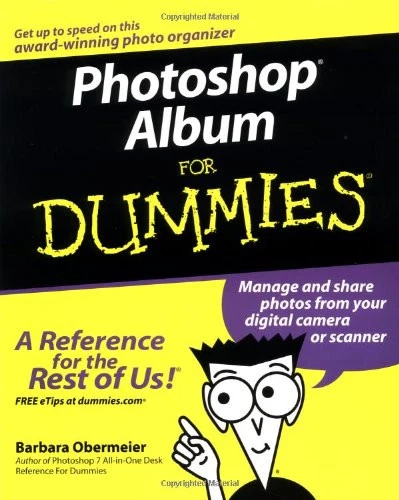
Photoshop Album For Dummies

$0.00
Secure checkout • Fast order processing
🔥 Popularity score: 104
🔒

Vault Membership Required

This item is reserved for Vault Members. Join for a one-time $39.99 lifetime membership to unlock this and hundreds of other free titles.

Organize your photos and share them as slide shows, e-cards, or personalized giftsAt last, there’s a better way to manage your virtual shoebox full of digital images! Photoshop Album helps you store, sort, and show off your photos in dozens of creative ways. This book gets you started, helps you import and improve your pictures, shows you cool new ways to share them, and much more.The Dummies Way* Explanations in plain English* “Get in, get out” information* Icons and other navigational aids* Tear-out cheat sheet* Top ten lists* A dash of humor and fun About the Author Barbara Obermeier owns…

Category:
Tags:

Description

Organize your photos and share them as slide shows, e-cards, or personalized gifts

At last, there’s a better way to manage your virtual shoebox full of digital images! Photoshop Album helps you store, sort, and show off your photos in dozens of creative ways. This book gets you started, helps you import and improve your pictures, shows you cool new ways to share them, and much more.

The Dummies Way
* Explanations in plain English
* “Get in, get out” information
* Icons and other navigational aids
* Tear-out cheat sheet
* Top ten lists
* A dash of humor and fun

About the Author

Barbara Obermeier owns a graphic design studio and teaches computer graphics at Ventura College and the University of California, Santa Barbara. She is the coauthor of Illustrator® 10 For Dummies.


Reviews

There are no reviews yet.

Only logged in customers who have purchased this product may leave a review.

INSTALL THE APP
Add The Urban Strip Mall to your home screen
📱 iPHONE / iPAD (Safari)
1. Tap the Share button at the bottom
2. Scroll down and tap "Add to Home Screen"
3. Tap "Add" — done!
🤖 ANDROID (Chrome)
1. Tap the 3-dot menu top right
2. Tap "Add to Home Screen"
3. Tap "Add" — done!
💻 DESKTOP (Chrome / Edge)
1. Look for the Install icon in the address bar
2. Click it and select "Install"
3. The app opens as its own window!