🏠 HOME 👤 LOGIN / REGISTER
QUICK MENU
🛍️ Shop 💳 My Account 📞 Contact Support
[ X ] CLOSE
Account Orders Wishlist Cart Track Order Returns Shipping Certificate of Authenticity Contact Us Donations

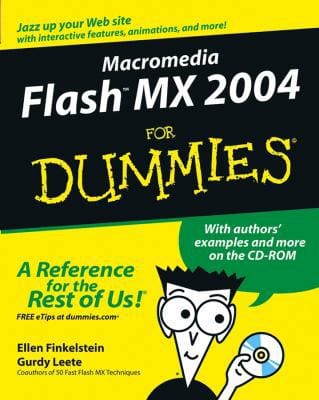
Macromedia Flash MX 2004 For DUMmIES

$0.00
Secure checkout • Fast order processing
🔥 Popularity score: 172
🔒

Vault Membership Required

This item is reserved for Vault Members. Join for a one-time $39.99 lifetime membership to unlock this and hundreds of other free titles.

Macromedia Flash MX 2004 For Dummies guides beginning animators through the basics of creating their first Flash animations. Authors Ellen Finkelstein and Gurdy Leete, both experienced Flash professionals and trainers, help users create basic figures, add text and layers, incorporate user actions, edit and add sound, and publish the final results. Macromedia Flash MX 2004 For Dummies comes with a CD that includes all the examples used in the book, sample animations from other Flash users, and a trial version of the product itself. ABOUT THE AUTHOR Ellen Finkelstein is an author who specializes in graphics topics including Flash™ and AutoCAD®. Gurdy Leete is a…

Category:
Tags:

Description

Macromedia Flash MX 2004 For Dummies guides beginning animators through the basics of creating their first Flash animations. Authors Ellen Finkelstein and Gurdy Leete, both experienced Flash professionals and trainers, help users create basic figures, add text and layers, incorporate user actions, edit and add sound, and publish the final results. Macromedia Flash MX 2004 For Dummies comes with a CD that includes all the examples used in the book, sample animations from other Flash users, and a trial version of the product itself.


Ellen Finkelstein is an author who specializes in graphics topics including Flash™ and AutoCAD®.

Gurdy Leete is a digital media professor and computer animation professional.

Reviews

There are no reviews yet.

Only logged in customers who have purchased this product may leave a review.

INSTALL THE APP
Add The Urban Strip Mall to your home screen
📱 iPHONE / iPAD (Safari)
1. Tap the Share button at the bottom
2. Scroll down and tap "Add to Home Screen"
3. Tap "Add" — done!
🤖 ANDROID (Chrome)
1. Tap the 3-dot menu top right
2. Tap "Add to Home Screen"
3. Tap "Add" — done!
💻 DESKTOP (Chrome / Edge)
1. Look for the Install icon in the address bar
2. Click it and select "Install"
3. The app opens as its own window!