🏠 HOME 👤 LOGIN / REGISTER
QUICK MENU
🛍️ Shop 💳 My Account 📞 Contact Support
[ X ] CLOSE
Account Orders Wishlist Cart Track Order Returns Shipping Certificate of Authenticity Contact Us Donations

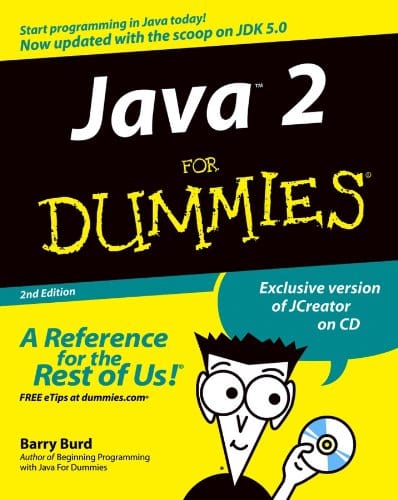
Java 2 For Dummies 2nd Edition

$0.00
Secure checkout • Fast order processing
🔥 Popularity score: 47
🔒

Vault Membership Required

This item is reserved for Vault Members. Join for a one-time $39.99 lifetime membership to unlock this and hundreds of other free titles.

This updated bestseller covers programming essentials for the newest version of Java, the popular platform-independent, object-oriented programming language The material is fully updated and focuses on the new Java SDK 1.5, addressing the needs of new or inexperienced Java developers The fun and easy writing style walks readers through Java syntax basics and helps them write their first program Shows readers how to create basic Java objects and figure out when they can reuse existing code The new edition is also modified to better address the readers who may have some programming knowledge, but who are new to Java ABOUT…

Category:
Tags:

Description

  • This updated bestseller covers programming essentials for the newest version of Java, the popular platform-independent, object-oriented programming language
  • The material is fully updated and focuses on the new Java SDK 1.5, addressing the needs of new or inexperienced Java developers
  • The fun and easy writing style walks readers through Java syntax basics and helps them write their first program
  • Shows readers how to create basic Java objects and figure out when they can reuse existing code
  • The new edition is also modified to better address the readers who may have some programming knowledge, but who are new to Java

Reviews

There are no reviews yet.

Only logged in customers who have purchased this product may leave a review.

INSTALL THE APP
Add The Urban Strip Mall to your home screen
📱 iPHONE / iPAD (Safari)
1. Tap the Share button at the bottom
2. Scroll down and tap "Add to Home Screen"
3. Tap "Add" — done!
🤖 ANDROID (Chrome)
1. Tap the 3-dot menu top right
2. Tap "Add to Home Screen"
3. Tap "Add" — done!
💻 DESKTOP (Chrome / Edge)
1. Look for the Install icon in the address bar
2. Click it and select "Install"
3. The app opens as its own window!