🏠 HOME 👤 LOGIN / REGISTER
QUICK MENU
🛍️ Shop 💳 My Account 📞 Contact Support
[ X ] CLOSE
Account Orders Wishlist Cart Track Order Returns Shipping Certificate of Authenticity Contact Us Donations

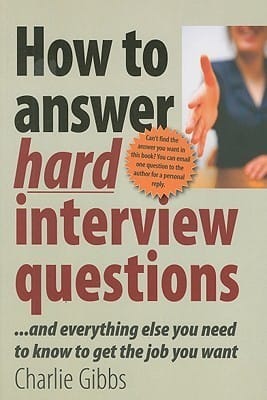
How to Answer Hard Interview Questions And Everything Else You Need to Know to Get the Job You Want eBook

$0.00
Secure checkout • Fast order processing
🔥 Popularity score: 42
🔒

Vault Membership Required

This item is reserved for Vault Members. Join for a one-time $39.99 lifetime membership to unlock this and hundreds of other free titles.

‘For twenty years, I have been on the side of the desk where sits that scariest of dragons: the interviewer. The sheer variation of quality in the performance of interviewees has prompted me to distil what I’ve learned into one, manageable body of advice which, I hope, gives you the edge when it comes to getting that job.’ As well as tips on how to prepare for, and conduct yourself at the interview itself, this book has almost 50 examples of the kind of answers interviewers really want to hear; the kind of answers that will get you that job.…

Category: ,
Tags:

Description

‘For twenty years, I have been on the side of the desk where sits that scariest of dragons: the interviewer. The sheer variation of quality in the performance of interviewees has prompted me to distil what I’ve learned into one, manageable body of advice which, I hope, gives you the edge when it comes to getting that job.’ As well as tips on how to prepare for, and conduct yourself at the interview itself, this book has almost 50 examples of the kind of answers interviewers really want to hear; the kind of answers that will get you that job. And if you can’t find the answer to the question you want, then Charlie Gibbs will answer it for you, personally by email.


Reviews

There are no reviews yet.

Only logged in customers who have purchased this product may leave a review.

Related products

INSTALL THE APP
Add The Urban Strip Mall to your home screen
📱 iPHONE / iPAD (Safari)
1. Tap the Share button at the bottom
2. Scroll down and tap "Add to Home Screen"
3. Tap "Add" — done!
🤖 ANDROID (Chrome)
1. Tap the 3-dot menu top right
2. Tap "Add to Home Screen"
3. Tap "Add" — done!
💻 DESKTOP (Chrome / Edge)
1. Look for the Install icon in the address bar
2. Click it and select "Install"
3. The app opens as its own window!