🏠 HOME 👤 LOGIN / REGISTER
QUICK MENU
🛍️ Shop 💳 My Account 📞 Contact Support
[ X ] CLOSE
Account Orders Wishlist Cart Track Order Returns Shipping Certificate of Authenticity Contact Us Donations

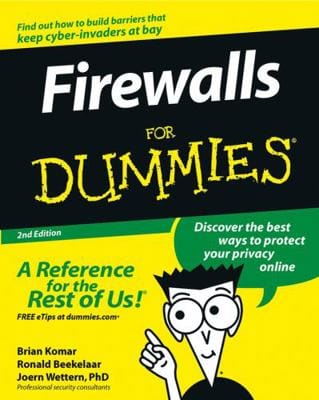
Firewalls For Dummies

$0.00
Secure checkout • Fast order processing
🔥 Popularity score: 229
🔒

Vault Membership Required

This item is reserved for Vault Members. Join for a one-time $39.99 lifetime membership to unlock this and hundreds of other free titles.

What an amazing world we live in! Almost anything you can imagine can be researched, compared, admired, studied, and in many cases, bought, with the click of a mouse. The Internet has changed our lives, putting a world of opportunity before us. Unfortunately, it has also put a world of opportunity into the hands of those whose motives are less than honorable. A firewall, a piece of software or hardware that erects a barrier between your computer and those who might like to invade it, is one solution. If you’ve been using the Internet for any length of time, you’ve…

Category:
Tags:

Description

What an amazing world we live in! Almost anything you can imagine can be researched, compared, admired, studied, and in many cases, bought, with the click of a mouse. The Internet has changed our lives, putting a world of opportunity before us. Unfortunately, it has also put a world of opportunity into the hands of those whose motives are less than honorable. A firewall, a piece of software or hardware that erects a barrier between your computer and those who might like to invade it, is one solution.

If you’ve been using the Internet for any length of time, you’ve probably received some unsavory and unsolicited e-mail. If you run a business, you may be worried about the security of your data and your customers’ privacy. At home, you want to protect your personal information from identity thieves and other shady characters. Firewalls For Dummies® will give you the lowdown on firewalls, then guide you through choosing, installing, and configuring one for your personal or bus iness network.

Firewalls For Dummies®  helps you understand what firewalls are, how they operate on different types of networks, what they can and can’t do, and how to pick a good one (it’s easier than identifying that perfect melon in the supermarket.) You’ll find out about

  • Developing security policies
  • Establishing rules for simple protocols
  • Detecting and responding to system intrusions
  • Setting up firewalls for SOHO or personal use
  • Creating demilitarized zones
  • Using Windows or Linux as a firewall
  • Configuring ZoneAlarm, BlackICE, and Norton personal firewalls
  • Installing and using ISA server and FireWall-1

With the handy tips and hints this book provides, you’ll find that firewalls are nothing to fear – that is, unless you’re a cyber-crook! You’ll soon be able to keep your data safer, protect your family’s privacy, and probably sleep better, too.

From the Inside Flap

Guard your DSL and protect your personal informationKeep your network safe from viruses, saboteurs, eavesdroppers, and other bad guys

We don’t want to scare you, but “they” are out there! Don’t venture into lawless cyberspace without this trusty guide. It’ll help you evaluate the danger, understand how firewalls work, control what goes in or out, and choose the right firewall product for your home or business. You’re bound to sleep better!

The Dummies Way

  • Explanations in plain English
  • “Get in, get out” information
  • Icons and other navigational aids
  • Tear-out cheat sheet
  • Top ten lists
  • A dash of humor and fun

Reviews

There are no reviews yet.

Only logged in customers who have purchased this product may leave a review.

INSTALL THE APP
Add The Urban Strip Mall to your home screen
📱 iPHONE / iPAD (Safari)
1. Tap the Share button at the bottom
2. Scroll down and tap "Add to Home Screen"
3. Tap "Add" — done!
🤖 ANDROID (Chrome)
1. Tap the 3-dot menu top right
2. Tap "Add to Home Screen"
3. Tap "Add" — done!
💻 DESKTOP (Chrome / Edge)
1. Look for the Install icon in the address bar
2. Click it and select "Install"
3. The app opens as its own window!