🏠 HOME 👤 LOGIN / REGISTER
QUICK MENU
🛍️ Shop 💳 My Account 📞 Contact Support
[ X ] CLOSE
Account Orders Wishlist Cart Track Order Returns Shipping Certificate of Authenticity Contact Us Donations

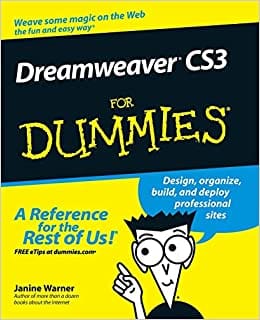
Dreamweaver CS3 For Dummies

$0.00
Secure checkout • Fast order processing
🔥 Popularity score: 70
🔒

Vault Membership Required

This item is reserved for Vault Members. Join for a one-time $39.99 lifetime membership to unlock this and hundreds of other free titles.

Packed with the latest Dreamweaver tips and techniques Get up to speed fast and start creating dynamite Web sites! Do you want to create a sophisticated Web site that’s easy to develop and maintain? Whether you’re a beginner or an experienced Web developer, this friendly guide shows you how to utilize Dreamweaver’s newest enhancements to build and manage state-of-the-art, professional Web sites quickly and easily. Set up your site and create new pages Work with text, graphics, and links Define and apply styles using CSS Add audio, video, and Flash® files to your site Use Dreamweaver’s database features

Category:
Tags:

Description

Packed with the latest Dreamweaver tips and techniques

Get up to speed fast and start creating dynamite Web sites!

Do you want to create a sophisticated Web site that’s easy to develop and maintain? Whether you’re a beginner or an experienced Web developer, this friendly guide shows you how to utilize Dreamweaver’s newest enhancements to build and manage state-of-the-art, professional Web sites quickly and easily.

  • Set up your site and create new pages
  • Work with text, graphics, and links
  • Define and apply styles using CSS
  • Add audio, video, and Flash® files to your site
  • Use Dreamweaver’s database features

Reviews

There are no reviews yet.

Only logged in customers who have purchased this product may leave a review.

INSTALL THE APP
Add The Urban Strip Mall to your home screen
📱 iPHONE / iPAD (Safari)
1. Tap the Share button at the bottom
2. Scroll down and tap "Add to Home Screen"
3. Tap "Add" — done!
🤖 ANDROID (Chrome)
1. Tap the 3-dot menu top right
2. Tap "Add to Home Screen"
3. Tap "Add" — done!
💻 DESKTOP (Chrome / Edge)
1. Look for the Install icon in the address bar
2. Click it and select "Install"
3. The app opens as its own window!