🏠 HOME 👤 LOGIN / REGISTER
QUICK MENU
🛍️ Shop 💳 My Account 📞 Contact Support
[ X ] CLOSE
Account Orders Wishlist Cart Track Order Returns Shipping Certificate of Authenticity Contact Us Donations

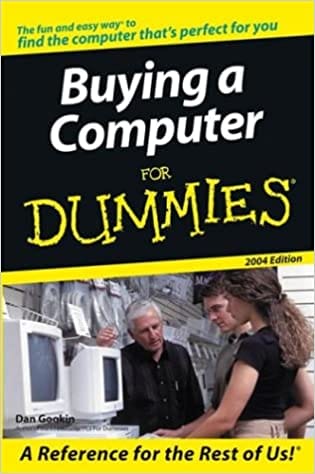
Buying a Computer For Dummies 2004 Edition

$0.00
Secure checkout • Fast order processing
🔥 Popularity score: 152
🔒

Vault Membership Required

This item is reserved for Vault Members. Join for a one-time $39.99 lifetime membership to unlock this and hundreds of other free titles.

Find out where to shop and what to look for Handheld? Flat-screen iMac®? Pentium® 4 with warp speed processing? Here’s how to choose Those computer megastores can be intimidating, so take five – five easy steps toward finding the computer that does what you want it to! Veteran For Dummies author Dan Gookin supplies checklists, questions, and answers that help you discover what you need, what you want, where to find it, and how to buy it. The Dummies Way Explanations in plain English “Get in, get out” information Icons and other navigational aids Tear-out cheat sheet Top ten lists…

Category:
Tags:

Description

Find out where to shop and what to look for

Handheld? Flat-screen iMac®? Pentium® 4 with warp speed processing? Here’s how to choose

Those computer megastores can be intimidating, so take five – five easy steps toward finding the computer that does what you want it to! Veteran For Dummies author Dan Gookin supplies checklists, questions, and answers that help you discover what you need, what you want, where to find it, and how to buy it.

The Dummies Way

  • Explanations in plain English
  • “Get in, get out” information
  • Icons and other navigational aids
  • Tear-out cheat sheet
  • Top ten lists
  • A dash of humor and fun

About the Author

Dan Gookin (Coeur d’Alene, Idaho) wrote the first-ever For Dummies book, DOS For Dummies, as well as the bestselling Word 2002 For Dummies and PCs For Dummies. Dan’s books have been translated into 32 languages and have more than 11 million copies in print.


Reviews

There are no reviews yet.

Only logged in customers who have purchased this product may leave a review.

Related products

INSTALL THE APP
Add The Urban Strip Mall to your home screen
📱 iPHONE / iPAD (Safari)
1. Tap the Share button at the bottom
2. Scroll down and tap "Add to Home Screen"
3. Tap "Add" — done!
🤖 ANDROID (Chrome)
1. Tap the 3-dot menu top right
2. Tap "Add to Home Screen"
3. Tap "Add" — done!
💻 DESKTOP (Chrome / Edge)
1. Look for the Install icon in the address bar
2. Click it and select "Install"
3. The app opens as its own window!