
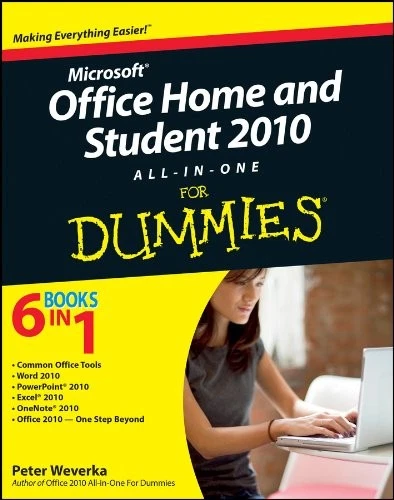
Microsoft Office Home and Student 2010 All-In-One For Dummies
Description
One-stop shopping for all the essentials of Office Home & Student 2010
The Home & Student version of Microsoft Office is ideal for anyone who needs the essential Office applications and can do without tools like Access and Outlook. The version includes Word, Excel, PowerPoint, and OneNote. Each mini-book offers straightforward advice, helpful projects, and real-world examples that target the home and student audiences. You’ll benefit from instructions for creating a resume in Word, establishing a home budget in Excel, jazzing up a school presentation with PowerPoint, and taking notes in OneNote.
- Targets home and school users of Office 2010, who primarily need and use Word, Excel, PowerPoint, and OneNote
- Demonstrates common, everyday projects, such as creating a cover letter in Word and creating reusable templates in Excel
- Walks you through spiffing up a school presentation with PowerPoint
- Offers straightforward instructions for taking notes in OneNote
- Reviews common Office 2010 tools and details the basics of the Office ribbon
Office Home & Student 2010 All-in-One For Dummies is your fun and friendly guide to the essentials of Office 2010!
From the Back Cover
You’re smart and frugal. You don’t want to pay for stuff you don’t need, so the Home and Student edition of Office is perfect for you. But you DO want to get all you paid for. This book helps you do just that. Learn to use every feature of Word, PowerPoint, Excel, and OneNote, how to customize them to meet your needs, and how to get things done!
- Make Office work find your way around the interface, customize the Ribbon, convert old files to Office 2010, and lock files with a password
- Do something learn to create annotated reports or a classy résumé, develop an eye-catching presentation, or analyze data with a worksheet
- Find hidden talents create tables and charts, make SmartArt diagrams, and add lines, shapes, and objects
- Get the Word out discover Word speed techniques, styling secrets, and how to create an index or table of contents
- Present with punch enhance your PowerPoint presentations with cool themes, audio, and video
- Work with worksheets get more from Excel by using formulas, functions, what-if analysis, and pivot tables
- Take note see how OneNote helps you keep and organize all kinds of notes
Open the book and find:
- The tools that are common to all Office applications
- Tips for creating effective letters and résumés in Word
- Advice on printing labels and envelopes
- How to speed up your work with Autofill
- How to create a professional PowerPoint presentation
- Hints for creating and sharing class notes with OneNote
- How to save Office files as Web pages
- An introduction to Office Web Apps
6 books in 1
- Common Office Tools
- Word 2010
- PowerPoint 2010
- Excel 2010
- OneNote 2010
- Office 2010 One Step Beyond
About the Author
Only logged in customers who have purchased this product may leave a review.

Reviews
There are no reviews yet.