🏠 HOME 👤 LOGIN / REGISTER
QUICK MENU
🛍️ Shop 💳 My Account 📞 Contact Support
[ X ] CLOSE
Account Orders Wishlist Cart Track Order Returns Shipping Certificate of Authenticity Contact Us Donations

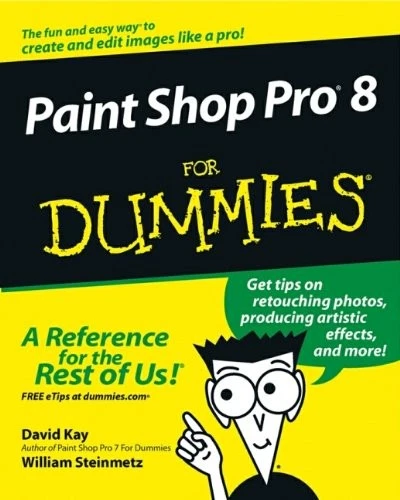
Paint Shop Pro 8 For Dummies

$0.00
Secure checkout • Fast order processing
🔥 Popularity score: 241
🔒

Vault Membership Required

This item is reserved for Vault Members. Join for a one-time $39.99 lifetime membership to unlock this and hundreds of other free titles.

DESCRIPTION Published in conjunction with the new release of Paint Shop Pro, this book walks readers through image-editing fundamentals as well as more advanced graphics and animation tools Shows photography and animation hobbyists how to create quality, professional-looking graphics Discusses painting, spraying, retouching photos, adding artistic effects, layering, masking layers, adjusting color, moving, reshaping, copying, and printing images Also examines how to create Web images and animated graphics with Jasc’s Animation Shop Author has written more than a dozen technology books ABOUT THE AUTHOR David Kay is a writer, engineer, artist, and the author of five For Dummies books. William…

Category:
Tags:

Description

DESCRIPTION

  • Published in conjunction with the new release of Paint Shop Pro, this book walks readers through image-editing fundamentals as well as more advanced graphics and animation tools
  • Shows photography and animation hobbyists how to create quality, professional-looking graphics
  • Discusses painting, spraying, retouching photos, adding artistic effects, layering, masking layers, adjusting color, moving, reshaping, copying, and printing images
  • Also examines how to create Web images and animated graphics with
  • Jasc’s Animation Shop
  • Author has written more than a dozen technology books

Reviews

There are no reviews yet.

Only logged in customers who have purchased this product may leave a review.

INSTALL THE APP
Add The Urban Strip Mall to your home screen
📱 iPHONE / iPAD (Safari)
1. Tap the Share button at the bottom
2. Scroll down and tap "Add to Home Screen"
3. Tap "Add" — done!
🤖 ANDROID (Chrome)
1. Tap the 3-dot menu top right
2. Tap "Add to Home Screen"
3. Tap "Add" — done!
💻 DESKTOP (Chrome / Edge)
1. Look for the Install icon in the address bar
2. Click it and select "Install"
3. The app opens as its own window!