🏠 HOME 👤 LOGIN / REGISTER
QUICK MENU
🛍️ Shop 💳 My Account 📞 Contact Support
[ X ] CLOSE
Account Orders Wishlist Cart Track Order Returns Shipping Certificate of Authenticity Contact Us Donations

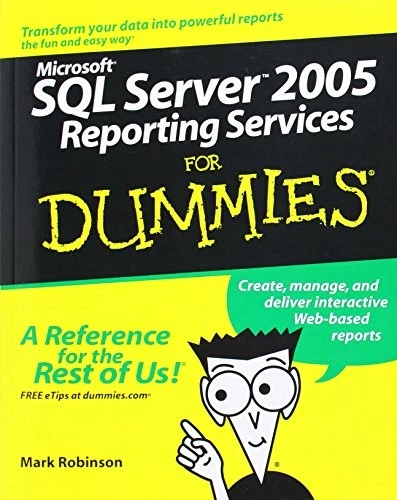
Microsoft SQL Server 2005 Reporting Services For Dummies

$0.00
Secure checkout • Fast order processing
🔥 Popularity score: 116
🔒

Vault Membership Required

This item is reserved for Vault Members. Join for a one-time $39.99 lifetime membership to unlock this and hundreds of other free titles.

Find the right information and present it the right way Take full advantage of all SQL Server Reporting Services can do for you Without a way to interpret it, the data in your database just sits there doing nothing. Now you have help! This handy guide shows you how to retrieve data and create reports with the newest version of SQL Server Reporting Services, so you can deliver both hard copy and interactive, Web-based reports that tell your story. Discover how to Access information from different databases Build the right queries Choose the best report type Move from other reporting…

Category:
Tags:

Description

Find the right information and present it the right way

Take full advantage of all SQL Server Reporting Services can do for you

Without a way to interpret it, the data in your database just sits there doing nothing. Now you have help! This handy guide shows you how to retrieve data and create reports with the newest version of SQL Server Reporting Services, so you can deliver both hard copy and interactive, Web-based reports that tell your story.

Discover how to

  • Access information from different databases
  • Build the right queries
  • Choose the best report type
  • Move from other reporting tools
  • Deliver reports on demand
  • Produce drill-down and drill-through reports


About the Author

Mark Robinson belongs to the Business Intelligence Partner Advisory Council at Microsoft. He helps fine-tune early releases of Microsoft business intelligence products and works closely with SQL Server Reporting Services development.

Reviews

There are no reviews yet.

Only logged in customers who have purchased this product may leave a review.

INSTALL THE APP
Add The Urban Strip Mall to your home screen
📱 iPHONE / iPAD (Safari)
1. Tap the Share button at the bottom
2. Scroll down and tap "Add to Home Screen"
3. Tap "Add" — done!
🤖 ANDROID (Chrome)
1. Tap the 3-dot menu top right
2. Tap "Add to Home Screen"
3. Tap "Add" — done!
💻 DESKTOP (Chrome / Edge)
1. Look for the Install icon in the address bar
2. Click it and select "Install"
3. The app opens as its own window!